

Table of Contents
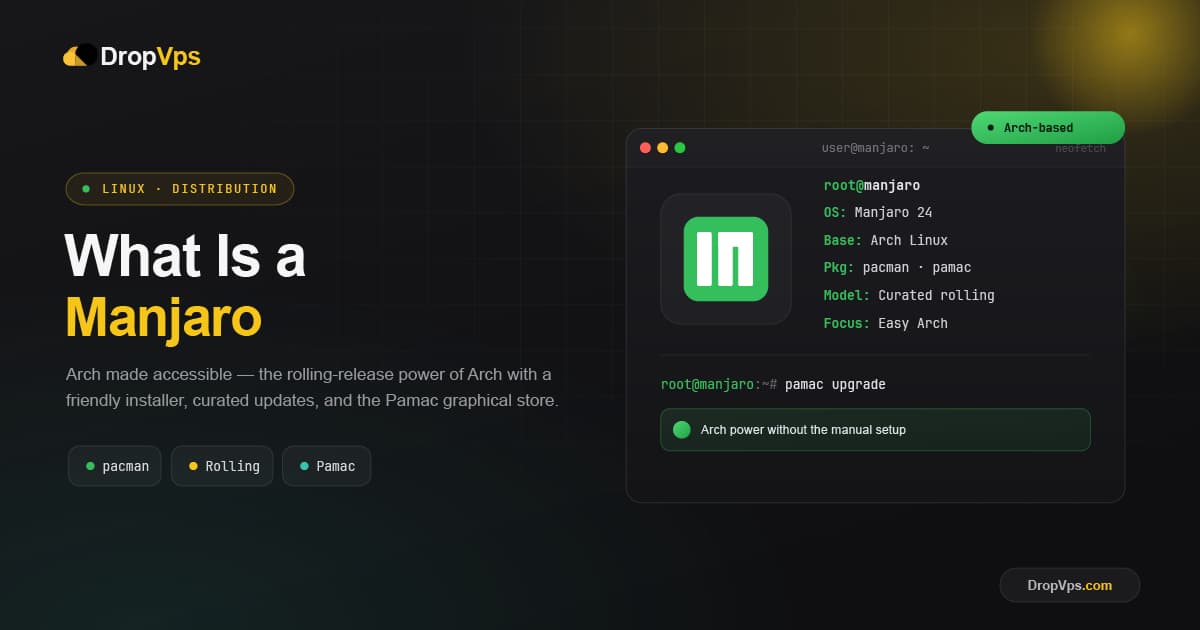
Manjaro is a free, open-source Linux distribution based on Arch Linux that delivers Arch's power and rolling-release software with a much easier, ready-to-use setup. It gives you a graphical installer, pre-configured desktops, and automatic hardware detection, so you get the benefits of Arch without the manual, command-line installation Arch normally requires.
Manjaro is developed by Manjaro GmbH and a strong community, and it has become the most popular way for everyday users to reach the Arch ecosystem. It keeps your software continuously up to date while adding its own tools, tested update channels, and beginner-friendly defaults that make a rolling system far less intimidating.
Quick Facts
| Developer | Manjaro GmbH and community |
| Based on | Arch Linux |
| Release model | Rolling release |
| Latest release | Manjaro 26.0 (Anh-Linh) |
| Main desktops | KDE Plasma, Xfce, GNOME |
| Package tools | Pacman and Pamac, plus the AUR |
Manjaro and Arch Linux
Manjaro is built on Arch Linux and shares its rolling-release model and access to the Arch User Repository (AUR). The key difference is the experience. Arch expects you to install and configure everything by hand from a minimal base, while Manjaro handles that for you with a friendly graphical installer and sensible defaults.
Manjaro also adds an important safety layer: instead of pushing updates the instant they arrive upstream, it holds them in its own testing channels first. By the time updates reach the stable branch, they have been tested further, which makes Manjaro more dependable for daily use than plain Arch.
What Rolling Release Means
Manjaro does not require you to reinstall for new versions. Once installed, your system stays current through continuous updates. The named releases such as 26.0 "Anh-Linh" are simply fresh installation images that bundle the newest packages, kernels, and desktops at that point in time. Keeping the system updated takes a single command:
sudo pacman -SyuManjaro also ships Pamac, a graphical software manager, so you can install and update apps with a few clicks instead of the terminal if you prefer.
Pamac, Pacman, and the AUR
Manjaro uses Pacman for official packages and layers Pamac on top as an easy graphical front end. It also gives you optional access to the Arch User Repository (AUR), a huge community collection of software, so almost any Linux application is within reach. This combination of an app store style interface and the enormous AUR library is a big reason Manjaro feels both simple and powerful.
Manjaro Editions
Manjaro offers several desktop editions so you can match it to your hardware and taste:
- KDE Plasma: The flagship, highly customizable and feature-rich.
- Xfce: Lightweight, fast, and rock solid, great for older machines.
- GNOME: A modern, clean, and intuitive workflow.
- Community editions: Cinnamon, i3, Sway, and more maintained by the community.
Key Features of Manjaro
- Easy access to Arch: All the power of Arch with a graphical installer and setup.
- Always up to date: Rolling updates keep software fresh without reinstalling.
- Tested update channels: Stable, testing, and unstable branches reduce the risk of broken updates.
- Hardware detection: Manjaro's tools automatically install the right drivers, including for GPUs.
- Kernel manager: Switch between multiple Linux kernels with a simple tool.
- Huge software choice: Pacman, Pamac, Flatpak, Snap, and the AUR together.
Manjaro vs Arch Linux
| Aspect | Manjaro | Arch Linux |
|---|---|---|
| Installation | Graphical installer, easy | Manual, command line |
| Updates | Tested in stable channel first | Pushed immediately upstream |
| Defaults | Preconfigured and ready | Built by the user |
| Best for | Beginners to advanced users | Experienced users |
What Manjaro Is Used For
- Everyday desktop and laptop use with modern, up-to-date software.
- Gaming, thanks to easy GPU drivers, recent kernels, and Steam support.
- Development, where the latest tools and the AUR are valuable.
- Learning the Arch ecosystem without the steep manual setup.
Manjaro is designed mainly as a desktop system. For production servers and hosting, a server-focused distribution on a Linux VPS is usually the better fit.
Manjaro 26.0 (Anh-Linh)
Download the latest official Manjaro release in KDE Plasma, Xfce, or GNOME.
Download from Official Website →Closing Thoughts
Manjaro bridges the gap between Arch's raw power and an everyday, friendly desktop. With tested update channels, automatic hardware setup, and the latest Manjaro 26.0 "Anh-Linh", it is one of the best ways to enjoy a fast, always-current, rolling-release Linux without the complexity of installing Arch by hand.

Follow DropVPS on Google
Add DropVPS as a preferred source to see our latest VPS guides and tutorials surfaced first in Google Search and AI Overviews.
Need a Linux Server for This?
Run Debian, Ubuntu, or any Linux distro on DropVPS — fast NVMe SSD, full root access, and 24/7 support. Perfect for everything you just read.
- Full Root Access
- Debian & Ubuntu Ready
- 99.99% Uptime
- 24/7 Support
No commitment · Cancel anytime