

Table of Contents
Compare the complete Windows configuration, not the starting compute price. Vultr documents a separate Windows licensing fee in addition to its base compute price. DropVPS lists Windows VPS plans directly. The useful comparison is the final cost of the Windows environment your application needs, together with access, location and operational requirements. Vultr Windows licensing · DropVPS Windows plans.
DropVPS is worth considering when your priority is a Windows VPS you can configure for a specific application. Vultr also supports Windows hosting; this is not a comparison between a Windows provider and a Linux-only service.
Why headline prices are an unreliable shortcut
A small Linux instance and a Windows server with enough memory for a desktop application are different purchases. Comparing their advertised starting prices creates an apparent winner without establishing that both can do the same work.
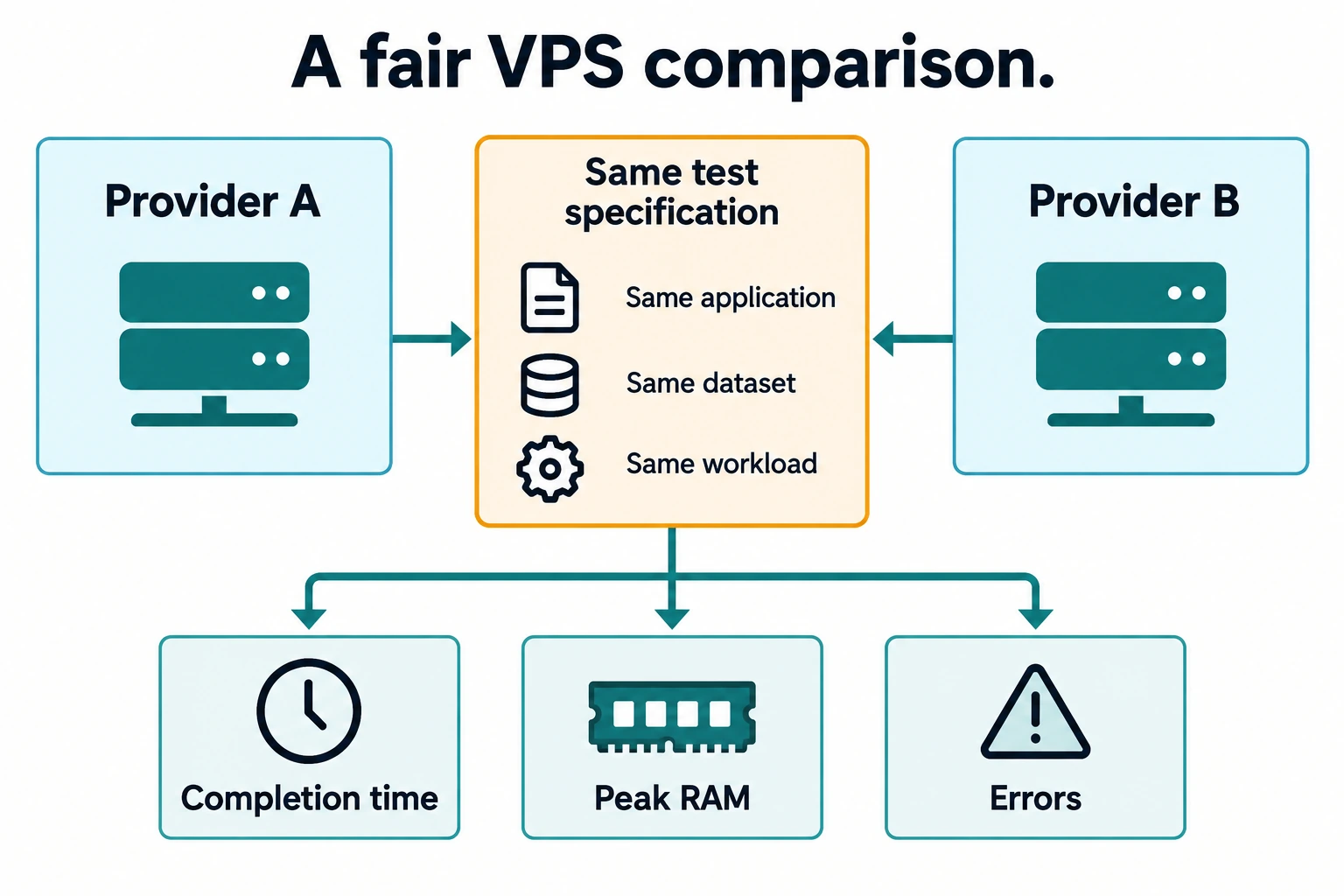
Start with a common specification. Write down the Windows edition, memory, CPU allocation, usable storage, region and monthly traffic. Include the same backup objective on both sides. If one quote includes an optional service, either add that service to the other quote or remove it from both.
Your comparison should be reproducible: another person should be able to select the same options and understand how you reached the total. Save the quote date because pricing and availability change.
Side-by-side buying criteria
| Criterion | DropVPS | Vultr | What to verify |
|---|---|---|---|
| Windows availability | Windows VPS product | Windows deployment supported | Exact edition and selected region |
| Licensing cost | Use the final Windows order total | Additional Windows fee documented | Whether the displayed total includes every required license |
| System control | Administrator-oriented Windows offering | Windows server administration available | Access needed by your application |
| Resources | Select the plan appropriate to the workload | Select the corresponding compute configuration | RAM, CPU policy, storage and transfer |
| Overall value | Judge the complete usable setup | Judge the complete usable setup | Monthly total plus operating effort |
Vultr describes its Windows offering on its Windows server page. Provider names alone do not establish equivalent hardware, identical resource policies or matching performance.
Where DropVPS makes a strong case
DropVPS's appeal is a focused Windows hosting workflow. If you already know the application you want to run, evaluate a Windows VPS as a complete working environment: remote access, sufficient memory, disk capacity and a location suitable for the application.
The practical benefit is control over the setup. For example, a Windows utility may need a particular runtime and a scheduled task. A developer may need to reproduce a customer's server environment. A small team may need a single application host without designing a larger cloud architecture.
DropVPS also advertises USDT payment for its hosting products. For a buyer who specifically needs that payment route, it is a concrete reason to include DropVPS in the evaluation. Check the method presented for the actual invoice rather than assuming that every coin or network is interchangeable. DropVPS USDT hosting.
Build a total-cost comparison in five steps
First, define the workload. “Windows VPS” is too broad. A reporting service, several browser sessions and a database all use resources differently. Record the peak job, not only the idle desktop.
Second, match resources. Compare enough RAM for Windows and the application together. Check CPU allocation policies rather than assuming that the same vCPU count means the same sustained performance.
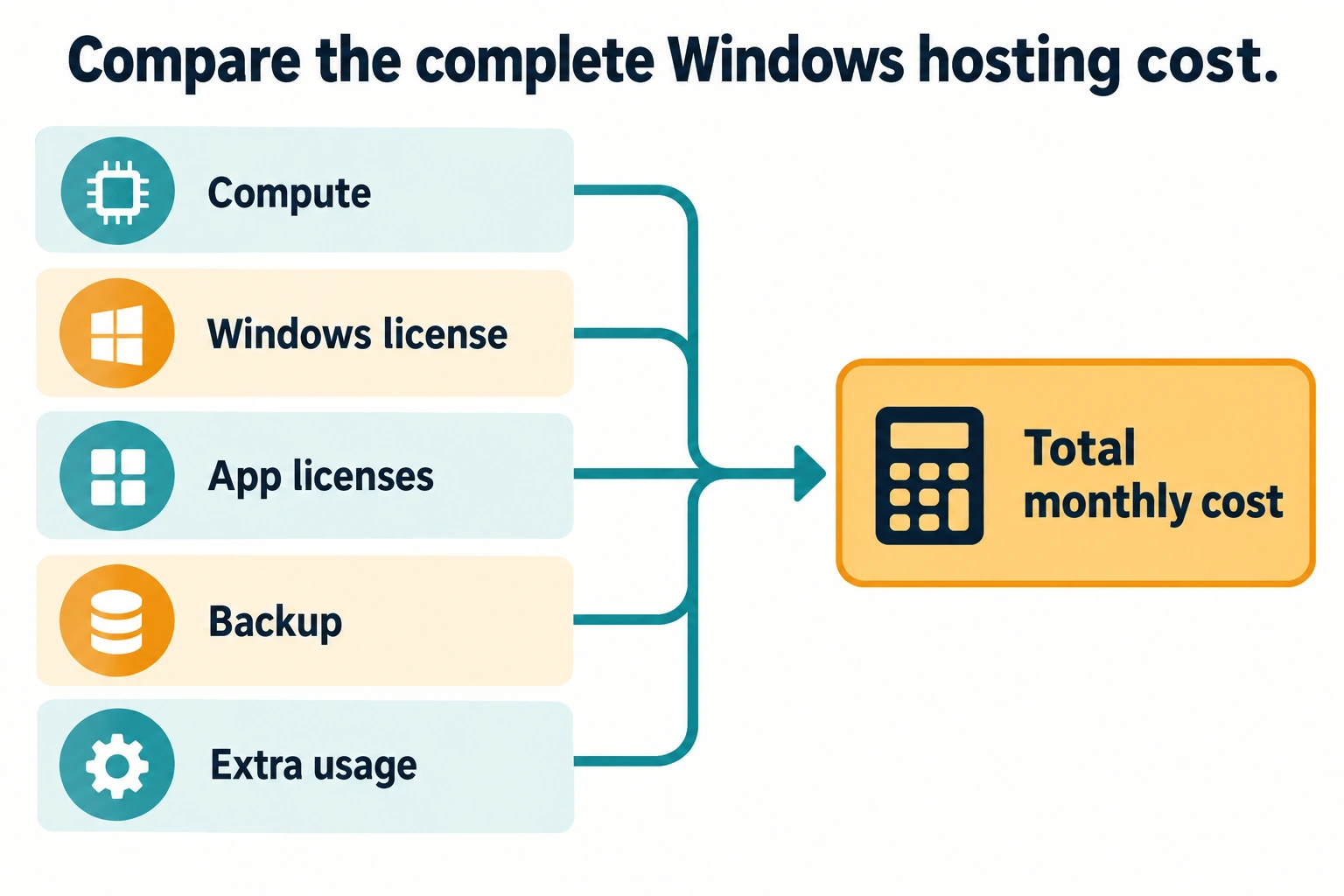
Third, add operating costs. Account for Windows licensing where applicable, application licenses, backups, additional storage or addresses, taxes and transfer above any allowance. Do not assume a feature is included because a separate marketing page mentions it.
Fourth, check the recurring price. Separate temporary discounts from renewal pricing. A short promotion is useful, but it should not hide the steady-state budget.
Fifth, test the job. Measure completion time, memory pressure and interactive responsiveness with the same application version and dataset. If the workload is sensitive to another server's location, include the network path in the test.
Choose by evidence, not an invented score
Suppose two plans both open your desktop quickly. One might still run out of memory during a large export, while the other spends longer transferring the finished file. Neither a login screenshot nor a generic benchmark proves which is better for your task.
Write an acceptance test before ordering: the export completes, the output matches the expected result, the job survives a scheduled restart, and recovery from backup is possible. Record failures as well as successful runs. A provider that meets those conditions at an acceptable cost is a better choice than one that wins an unrelated chart.
 Why choose DropVPS after the comparison?
Choose DropVPS when you need a Windows VPS with Administrator access, a suitable location and a complete order total that fits your budget. Its USDT payment route can also make purchasing easier if that is how your team pays for infrastructure. These are specific benefits you can check before ordering, rather than an assumed performance advantage.
Vultr supports Windows as well, so compare equivalent configurations instead of treating operating-system availability as the differentiator here. The DropVPS decision becomes stronger when its Windows setup, access model, location and payment method line up with your actual workflow.
After purchase, protect credentials, apply Windows updates and maintain recoverable backups. A server with full control also gives you responsibility for its operation.
Frequently asked questions
Does Vultr's base price include Windows licensing?
The cited Vultr billing documentation says a Windows license adds a fee based on the selected compute plan. Check the full deployment total.
Is Administrator access unique to DropVPS?
No. Compare the actual service and access model; administrator control is not exclusive to one Windows VPS provider.
Can this comparison prove that DropVPS costs less?
Only matching current quotes can establish that. This article explains how to compare them without presenting an unverified price advantage.
Put your Windows workload first
Start with DropVPS Windows VPS, choose a suitable configuration and compare its complete order total with the equivalent Vultr setup. The strongest reason to buy is a clear match between your application, the service and the cost of running it.
Follow DropVPS on Google
Add DropVPS as a preferred source to see our latest VPS guides and tutorials surfaced first in Google Search and AI Overviews.
Need a Windows Server?
DropVPS Windows VPS gives you full Admin RDP access, instant setup, and dedicated resources — run any Windows workload without limits.
- Full Admin Access
- RDP Ready Instantly
- Dedicated Resources
- 24/7 Support
No commitment · Cancel anytime