Java is a popular programming language used to develop desktop applications, web applications, and enterprise software.
Step 1: Check Your Mac Processor
Before downloading Java, identify your Mac's processor to choose the correct installation package. Apple Silicon Macs use M-series processors, while older models may use Intel processors.About This Mac
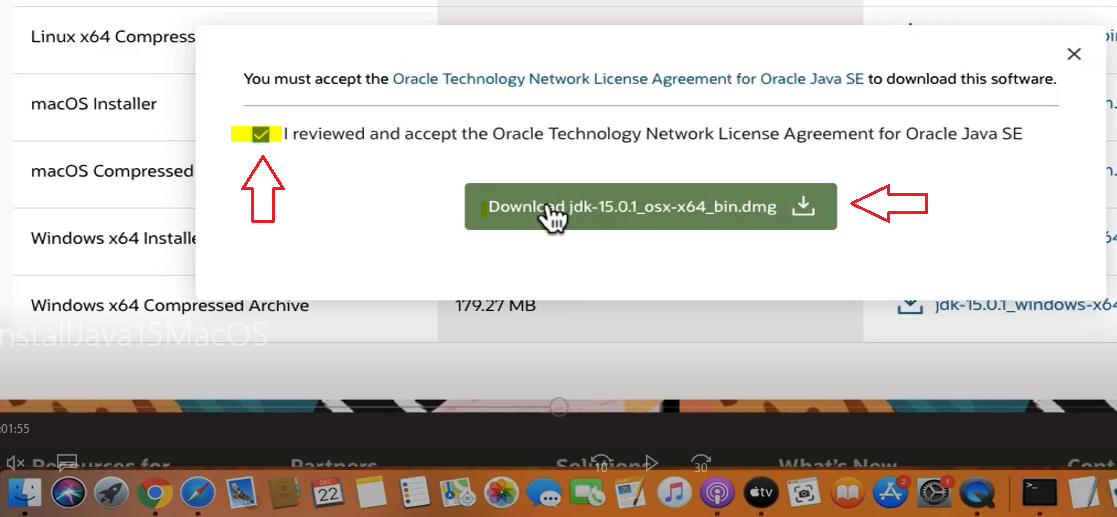
After downloading Java, open Finder and navigate to the Downloads folder. Find the downloaded JDK installation file and make sure the download has finished.
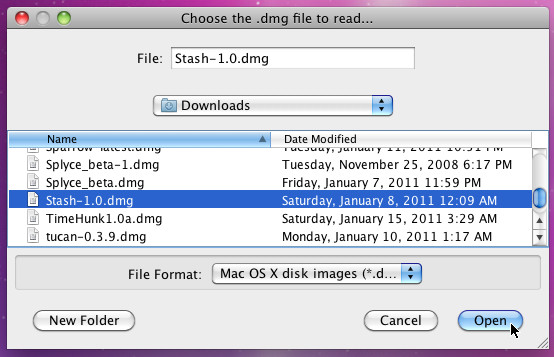
Step 4: Open the Java DMG File
Double-click the downloaded DMG file to open the Java installation package. macOS will mount the installation image and display its contents in a new Finder window.
Step 5: Open the Java Installer
Inside the mounted installation window, locate the Java package file with the .pkg extension. Double-click it to launch the Java installation wizard.
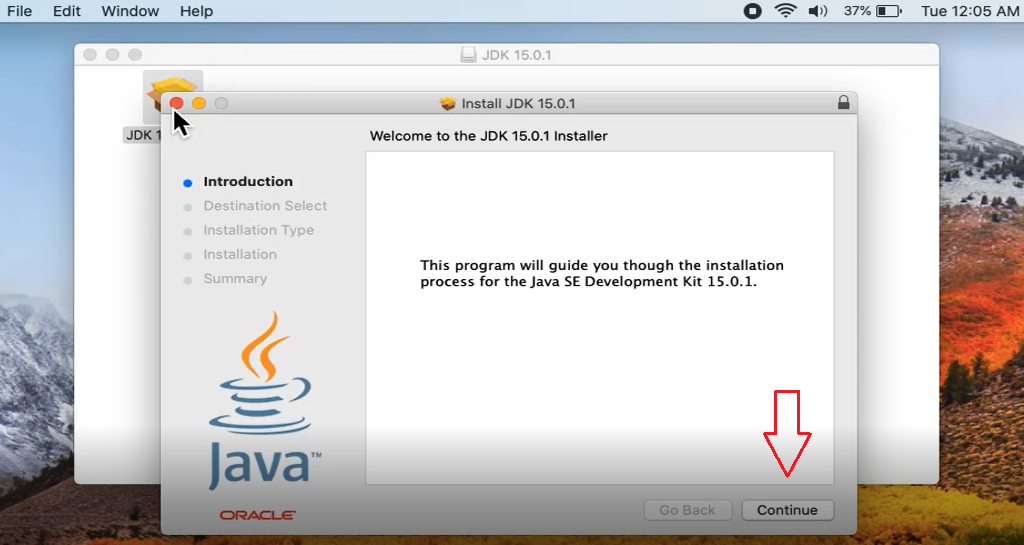
Step 6: Start the Installation Process
When the Java installer opens, review the installation information and click Continue to proceed. Follow the instructions displayed on the screen.
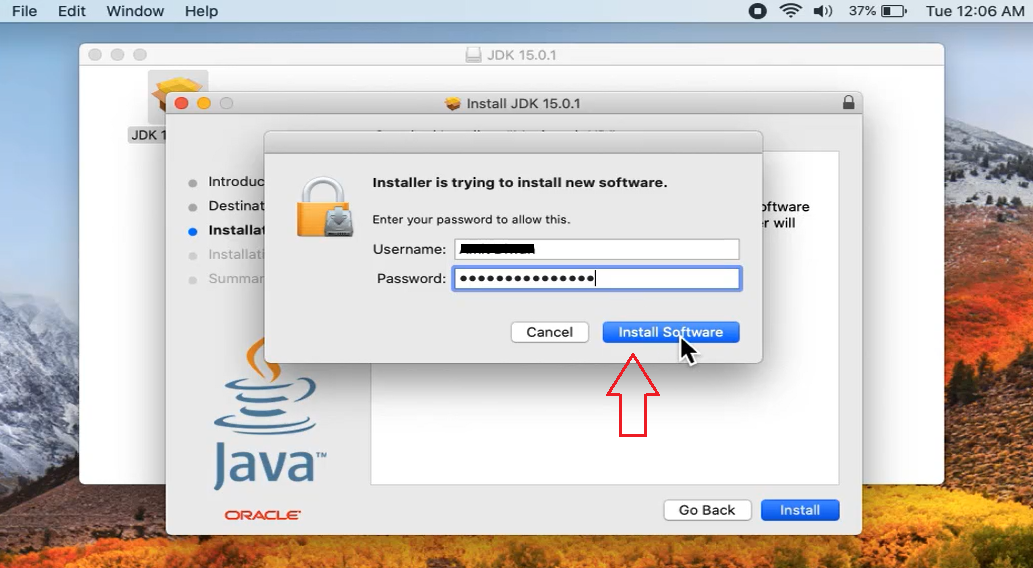
Step 7: Allow Installation on Your Mac
Review the installation details and click Install. If macOS requests administrator permission, enter your Mac password to authorize the installation
The final installation begins
Step 8: Complete the Java Installation
Wait for the installation process to finish. Once macOS displays the successful installation message, click Close to exit the installer
Step 9: Verify the Java Installation
After completing the installation, confirm that Java has been installed successfully on your Mac. You can do this by opening Terminal and checking the installed Java version. If the version information appears, Java is ready to use.
Follow DropVPS on Google
Add DropVPS as a preferred source to see our latest VPS guides and tutorials surfaced first in Google Search and AI Overviews.
🐧Linux VPS
Need a Linux Server for This?
Run Debian, Ubuntu, or any Linux distro on DropVPS — fast NVMe SSD, full root access, and 24/7 support. Perfect for everything you just read.