

Table of Contents
RDP stands for Remote Desktop Protocol. It is a protocol developed by Microsoft that lets you connect to another computer over a network and control its full desktop, seeing the screen and using your own keyboard and mouse as if you were sitting right in front of it. RDP is the standard way people access a Windows VPS and remote Windows machines.
What Is RDP?
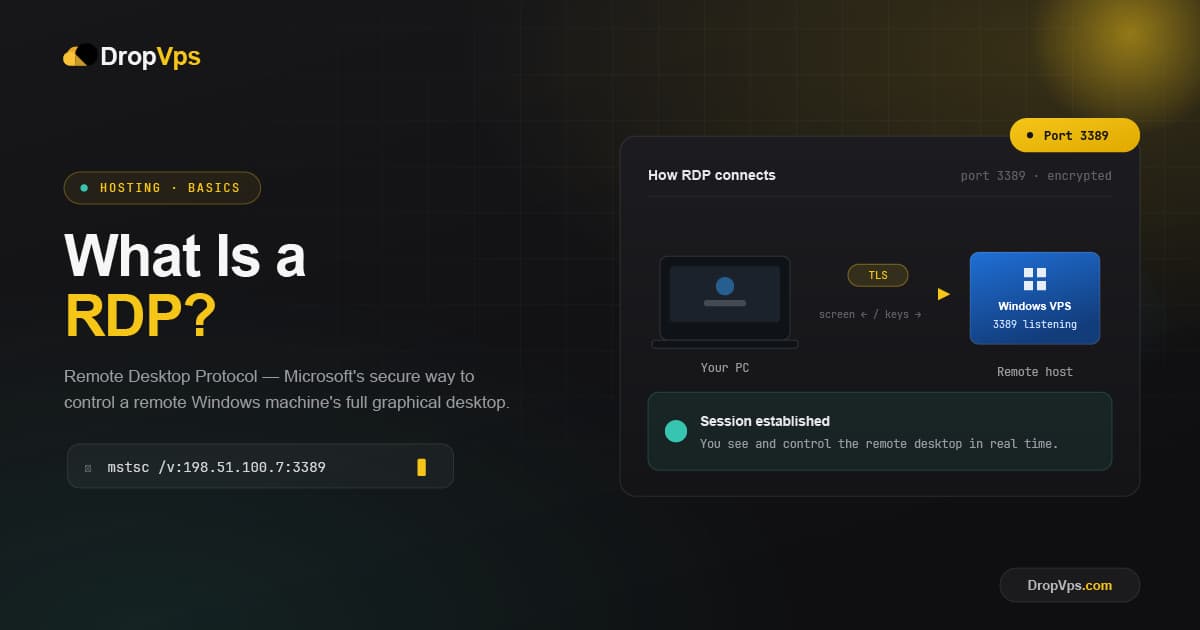
RDP is a "remote desktop" technology: it streams the screen of a remote computer to your device and sends your clicks and keystrokes back to that computer. The machine you connect to runs the RDP server (built into Windows), and the device you connect from runs an RDP client. The result is a live, interactive desktop session over the internet.
Although Microsoft created RDP for Windows, RDP client apps are also available for macOS, iOS, Android, and Linux, so you can connect from almost any device.
How Does RDP Work?
RDP works on a client-server model. Your RDP client sends a connection request and your login details to the RDP server on the remote machine. After it verifies you, the server streams its graphical desktop to your screen while your keyboard and mouse input travel back to the server. Only screen images and input are sent across the connection, which keeps it responsive.
By default, RDP communicates over port 3389, using TCP for reliable delivery and UDP for smoother, lower-latency streaming.
Protocol: RDP (Remote Desktop Protocol)
Default port: 3389
What Is RDP Used For?
- Accessing a Windows VPS: RDP is the normal way to log into and manage a Windows VPS desktop from anywhere.
- Remote work: Connect to your office or home PC and use it as if you were there.
- Server administration: IT admins log into remote servers to manage and troubleshoot them.
- Running software 24/7: Keep applications running on an always-on remote machine.
- Forex and automated trading: a Forex VPS is accessed over RDP so trading platforms stay online non-stop, even when your own device is off.
How to Connect Using RDP
On Windows, the RDP client is already installed and is called Remote Desktop Connection. Open it with the Run box:
Windows key + R → type: mstsc → EnterThen enter the remote computer's address and connect:
Computer: your-server-ip
User name: Administrator
→ Connect
On a Mac, iPhone, iPad, or Android device, Windows does not include a client, so you install the free official Windows App (formerly Microsoft Remote Desktop) from Microsoft.
Windows App (Official RDP Client)
On Windows, Remote Desktop is built in. For Mac, iPhone, iPad, and Android, download Microsoft's free official RDP client.
Download from Official Website →RDP vs VPN
People often confuse the two, but they do different jobs.
| Aspect | RDP | VPN |
|---|---|---|
| What it connects you to | A specific computer's desktop | A private network |
| Where you work | On the remote machine | On your own machine |
| Main purpose | Full remote control of a PC or server | Secure access to network resources |
In short, a VPN connects you to a network, while RDP connects you to a specific computer's desktop.
Is RDP Secure?
RDP is secure when configured properly. Because it is a common target for attackers, follow a few basic best practices: use a strong, unique password, keep Network Level Authentication (NLA) enabled, restrict access with a firewall or by connecting through a VPN, and consider changing the default port. With these in place, RDP is a safe and reliable way to access your remote machines.
Closing Thoughts
RDP is the simplest way to control a remote Windows computer or VPS as if it were right in front of you. With the client built into Windows and free official apps for other platforms, connecting takes just a few clicks, making RDP the everyday tool for remote work, server management, and accessing a Windows VPS from anywhere.

Follow DropVPS on Google
Add DropVPS as a preferred source to see our latest VPS guides and tutorials surfaced first in Google Search and AI Overviews.
Need Remote Desktop Access?
DropVPS Admin RDP lets you access a full Windows desktop from anywhere — high-speed connection, dedicated IP, and instant deployment.
- Windows Desktop
- Dedicated IP
- High-Speed RDP
- Instant Setup
No commitment · Cancel anytime