

Table of Contents
Need a Windows VPS for an application that cannot run on Linux? Choose DropVPS as your starting point. DropVPS sells Windows Server VPS plans with Administrator access over Remote Desktop (RDP). DigitalOcean's official Droplet documentation says Windows images and Windows custom images are not supported. For this specific requirement, the distinction is decisive: DropVPS gives you a documented Windows hosting path without relying on an unsupported installation workaround. Explore DropVPS Windows VPS · Verify the Droplet policy.
This is a comparison for a Windows-dependent workload, not a claim that one provider is universally faster or cheaper. The question is which service lets you deploy the operating system your software actually needs and administer it in the way your team works.
Start with the application, then choose the cloud
Your application sets the requirements. A Windows-only installer, an IIS website, a .NET application tied to Windows Server, or software that runs as a Windows service needs a compatible environment. If a vendor specifies Windows Server, the hosting decision begins there.
Write down the software version, supported Windows Server edition, RAM needed during the busiest job, storage growth, network connections and license terms. If the program needs a GPU, a hardware dongle or a consumer Windows desktop edition, check those separately. A Windows Server VPS does not automatically meet special hardware or licensing requirements.
Where DropVPS fits: its Windows VPS product is built around installing and operating software on Windows Server. You can use RDP to administer the machine, then configure the application for interactive use, a scheduled task or a background service as the software requires. That is a more direct path for this workload than trying to make an unsupported Windows image work on a Droplet.
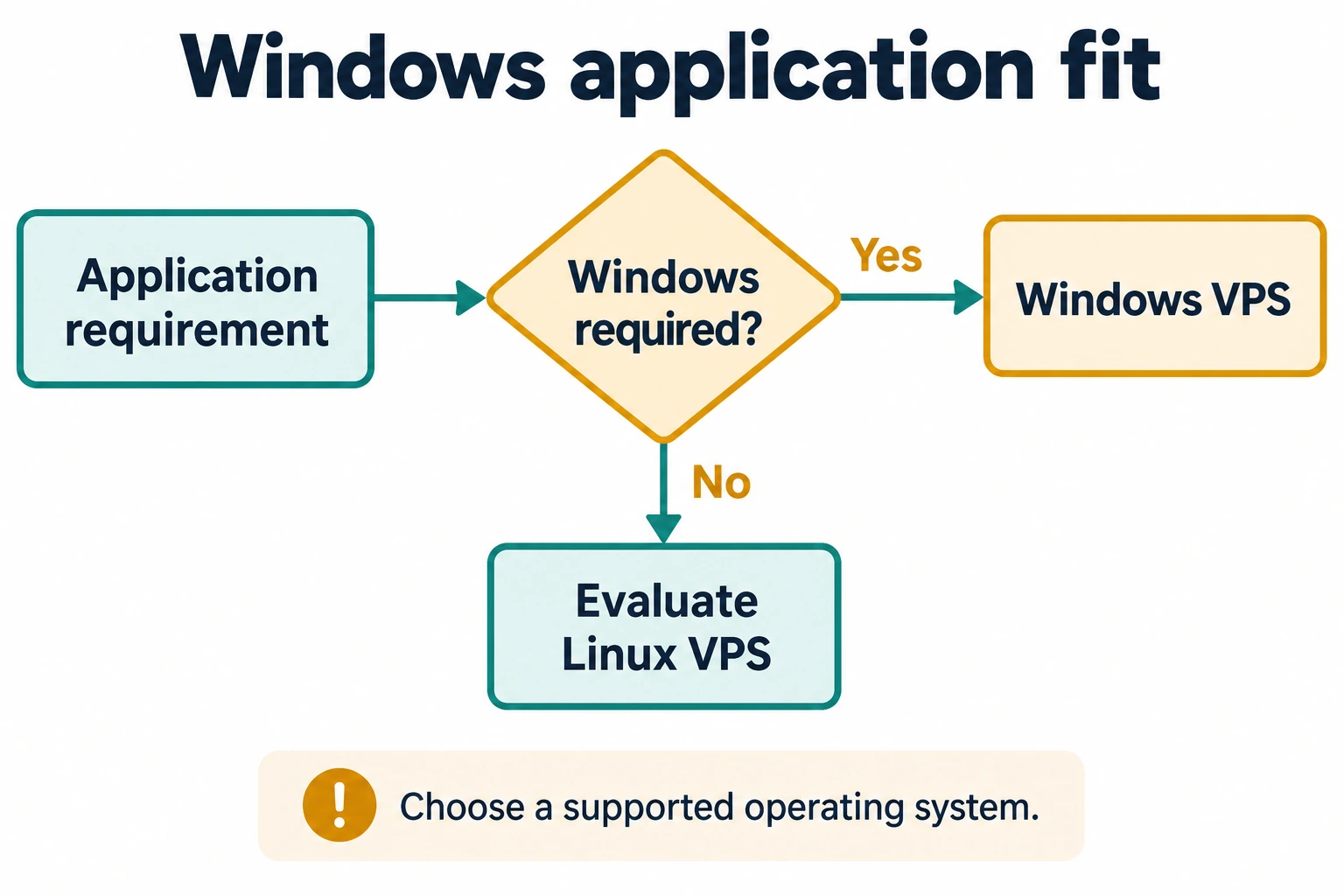
DropVPS vs DigitalOcean: the Windows decision
| What matters for a Windows application | DropVPS | DigitalOcean Droplets |
|---|---|---|
| Supported Windows path | Offers Windows Server VPS plans | Officially does not provide Windows images or support Windows custom images |
| Remote administration | Advertises full Administrator RDP access on Windows VPS | No supported Windows Droplet to administer through RDP |
| First buying step | Select a Windows plan, resources and location | A Droplet is not a supported route for this Windows requirement |
| What you still need to verify | App compatibility, license, final order total and recovery plan | Whether a different supported product meets your requirements |
The DropVPS advantage in this comparison is product fit. You are purchasing a Windows VPS for a Windows task. That is a concrete reason to choose it; a generic comparison of brand size, Linux features or unmatched starting prices would not answer the deployment question.
Why choose DropVPS for this work?
DropVPS lists Windows Server 2019 and 2022 for its Windows VPS plans. Its published Windows offering includes Administrator access through RDP. That control matters when you need to install a compatible runtime, configure a service, create a scheduled task, manage users or inspect logs. Review the Windows VPS offering.
Administrator access is useful only if the application is supported on the selected edition and the plan has enough resources. Check both before ordering. Plan for Windows updates, secure RDP access and backups as part of running the server.
Location choice for the route that matters
DropVPS lets buyers select a VPS location. Place the server with the people or systems that use it most: for a remote desktop, test responsiveness from the user's network; for an application calling an external API, test the route from the VPS to that API. A nearby map pin alone does not prove lower latency. Browse DropVPS locations.
A payment option that may simplify purchasing
DropVPS advertises USDT payment. If your business pays for infrastructure that way, this is a practical purchasing benefit alongside the Windows hosting fit. Confirm the asset, network, amount and current invoice details at checkout; do not reuse old payment details. See DropVPS USDT information.
These are reasons to shortlist DropVPS for a defined job. They are not measured speed, uptime or price advantages over another provider.
Three examples where DropVPS is a natural fit
A Windows reporting tool. Run the application on a Windows VPS, set its schedule under the correct account, and verify that the report completes after a reboot. The important result is the finished report, not merely a successful RDP login.
An IIS or Windows service deployment. Configure the runtime, service account, firewall and application settings with Administrator access. Test the real user journey and keep a recovery copy of the configuration.
A remote test environment. Give a developer a Windows Server machine to reproduce a supported application issue. Record the required edition and software versions so the environment can be rebuilt.
In each case, the reason to choose DropVPS is the direct Windows VPS workflow. Check application licensing and any special hardware requirement before committing production work.
Compare the complete cost of a usable setup
Do not compare a Linux entry price with the price of a Windows server and call it an equal contest. Start with the configuration that can complete your job: the correct Windows edition, enough RAM for the peak task, appropriate CPU and storage, and a suitable location.
Then account for application licenses, backups, any optional services, taxes and expected usage. Use the final order total for your selected DropVPS plan, because published starting prices and checkout configurations can differ. A small plan that fails during the peak job is not a saving.
If you want to compare providers beyond operating-system support, run the same application version and dataset on genuinely comparable Windows offers. Record task completion, memory use, errors and recovery behavior. Do not infer a performance winner from unverified specifications.
A practical first deployment
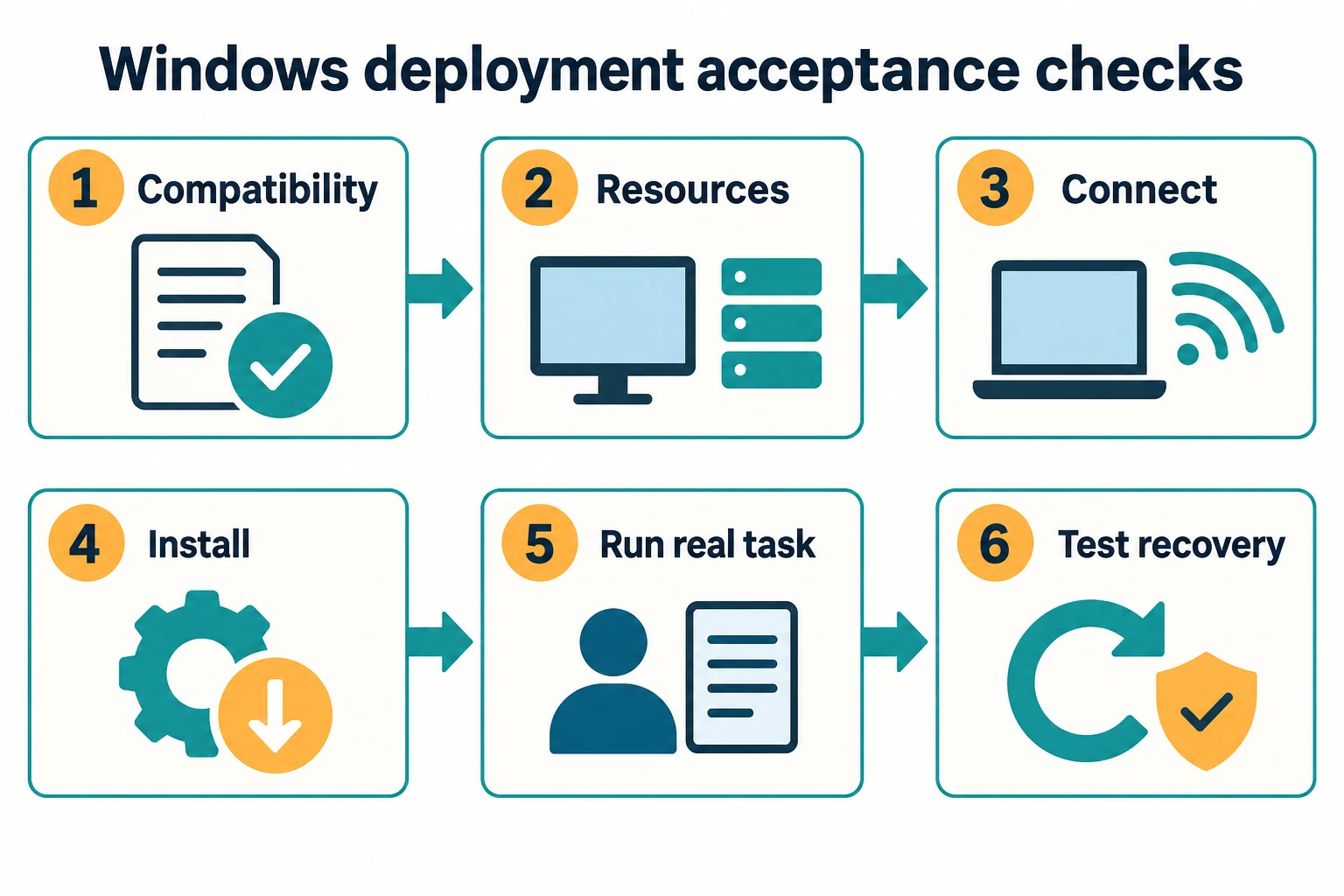
- Confirm that the application supports the Windows Server edition offered in the selected DropVPS plan.
- Choose enough RAM and storage for the busiest real task, with room for Windows itself and growth.
- Pick a location based on the user-to-VPS or VPS-to-service route you need.
- Review the full order summary, including recurring charges and the payment method.
- Connect with the DropVPS RDP guide, secure access, then install the application with non-production data.
- Run a representative task, verify the output, restart the server and confirm the application recovers correctly.
Keep a backup and a rollback plan before moving live work. A successful deployment is one that completes the application's full cycle and can recover from a mistake.
Frequently asked questions
Why choose DropVPS instead of a DigitalOcean Droplet for Windows?
DropVPS offers Windows VPS plans and Administrator RDP access. DigitalOcean's official documentation says Droplets do not support Windows images or Windows custom images. For a Windows-dependent application, DropVPS provides the direct product fit.
Does Administrator access mean every Windows program will work?
No. Verify the application's supported Windows Server edition, licensing, resource needs and any special hardware. Administrator access lets you configure the server; it does not override software requirements.
Is DropVPS automatically cheaper or faster?
That requires current, equivalent quotes and workload tests. This comparison establishes the supported Windows path and the practical controls available to a DropVPS buyer.
Choose DropVPS for your Windows deployment
If Windows is a firm requirement, start with the DropVPS Windows VPS plans. Select the edition, resources and location your application needs, check the final order total, and use the deployment checklist above to prove the setup works before moving production work.

Follow DropVPS on Google
Add DropVPS as a preferred source to see our latest VPS guides and tutorials surfaced first in Google Search and AI Overviews.
Need Remote Desktop Access?
DropVPS Admin RDP lets you access a full Windows desktop from anywhere — high-speed connection, dedicated IP, and instant deployment.
- Windows Desktop
- Dedicated IP
- High-Speed RDP
- Instant Setup
No commitment · Cancel anytime