

Table of Contents
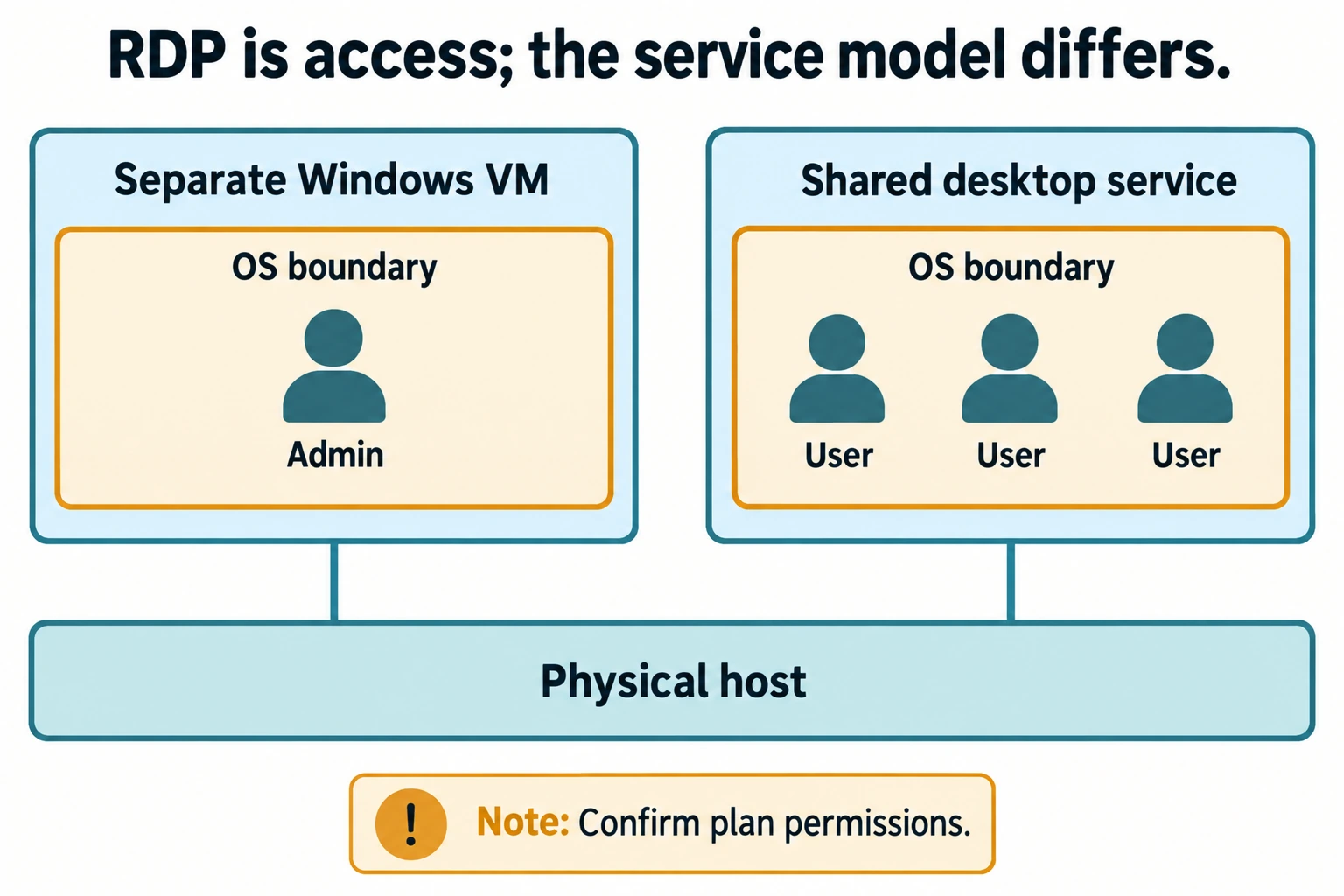
Choose a Windows VPS when you need control over the server environment. Choose a shared desktop service when you only need the applications and permissions that service provides. RDP is the connection technology, not a guarantee that you own a separate virtual machine. Two products described as “RDP” can offer very different levels of access.
DropVPS markets its Admin RDP product with Administrator rights and a dedicated IP address. That makes it relevant to buyers who need more than a restricted desktop login. Confirm the exact isolation and resource allocation of the selected plan. DropVPS Admin RDP.
RDP describes how you connect
Remote Desktop Protocol provides remote interaction with a Windows environment. The term does not tell you how many customers use the operating system, whether your account can install software, or whether you control reboots.
“Shared RDP” is a market label rather than one standard configuration. One seller may offer a restricted account on a multi-user server. Another may use different isolation or application policies. Read the actual service description before comparing it with a VPS.
A Windows VPS normally gives you a separate virtual operating-system environment. The underlying physical host can still be shared. A separate VM should not be confused with exclusive ownership of an entire physical server or dedicated CPU cores.
Compare the controls that affect your work
| Requirement | Windows VPS | Shared desktop service |
|---|---|---|
| Install compatible applications | Usually possible with administrator rights | Depends on account permissions and provider policy |
| Change system services | Usually under your administration | Commonly controlled by the provider |
| Choose restart timing | Generally under your control, subject to host maintenance | May affect other users and require provider action |
| Resource allocation | Defined by the selected VM plan | Depends on the sharing model and limits |
| Operating-system maintenance | Often your responsibility | Depends on the service's management agreement |
| Best fit | Custom applications and server configuration | A defined desktop or application set |
The table describes common service models, not a promise about every provider. Ask for written answers when the product wording is ambiguous.
Why control can be worth more than a lower price
Imagine you buy a remote desktop to run a business utility. The utility needs an additional runtime, a background service and a scheduled restart. If the account cannot install the runtime or configure the service, the low monthly price does not solve the problem.
With an appropriate administrator-controlled environment, you can configure those dependencies and investigate failures. You can inspect the application's logs, apply its update and adjust its startup behavior without treating each change as a request for permission from a desktop operator.
That is the practical case for including DropVPS in your shortlist: its advertised admin-oriented offering matches buyers who expect to operate their own Windows environment. The value is useful control, rather than a vague promise of “more power.”
When a shared service can be enough
A shared desktop can be appropriate when the provider supplies exactly the applications you need and takes responsibility for the relevant maintenance. Someone who only uses an approved application may not benefit from owning the whole server configuration.
Ask how user data is separated, what happens when a session is disconnected, and whether long-running work is allowed. Request the application's performance limits and the rules for installing extensions or plugins. The answers matter more than the product label.
For a team, also distinguish administrative server access from a licensed multi-user desktop deployment. Do not assume that buying a Windows VPS automatically includes every license needed for multiple people to use applications concurrently. Review the applicable Microsoft Remote Desktop Services licensing guidance for that deployment.
Questions to ask before ordering
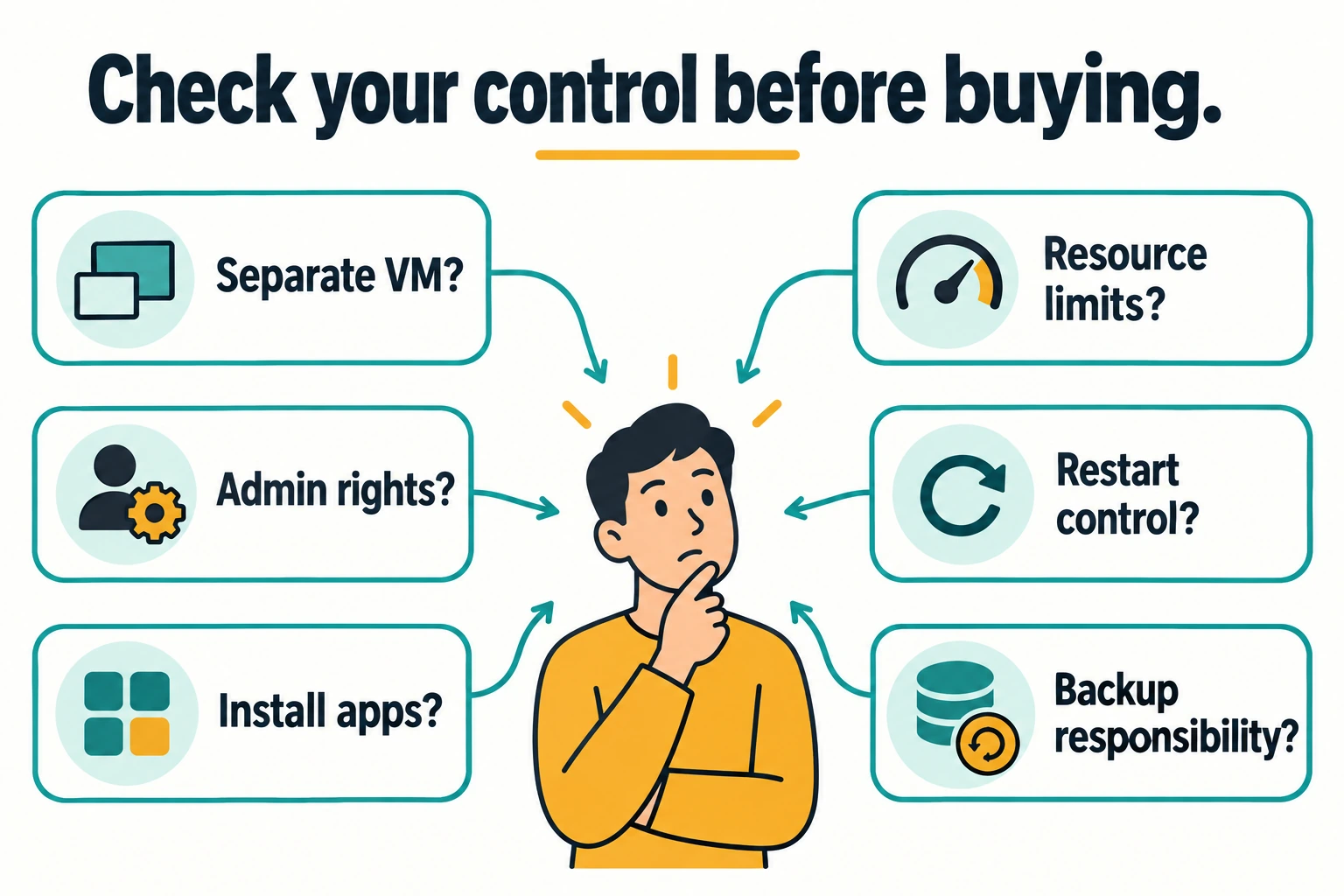
- Is this a separate Windows virtual machine or an account on a shared operating system?
- Will my login have Administrator privileges?
- Can I install the exact application and dependencies I need?
- What RAM, CPU policy and storage are allocated to the service?
- Can I control reboots and application updates?
- Who handles backups and restores?
- Are additional software or remote-user licenses required?
Test the service against those answers. Check the application under representative load and confirm that its output persists after reconnection. A successful desktop login is only the first stage.
Choose DropVPS for a configurable environment
If your task requires application installation, service configuration and ongoing administration, begin with the Windows VPS offering or Admin RDP plans. Match the purchased product to your requirements instead of buying the least expensive account carrying the RDP label.
After deployment, follow the Windows VPS connection guide. Establish backups before storing irreplaceable files, and test how the application behaves after a maintenance restart.
Frequently asked questions
Does a dedicated IP mean dedicated physical hardware?
No. An address assignment and hardware allocation are different features. Ask separately about operating-system isolation and CPU allocation.
Is shared RDP always a bad choice?
No. It can meet a limited desktop requirement when the permissions, applications and management terms fit. It becomes a poor choice when you need controls the service does not provide.
Why would I pay for a Windows VPS?
To obtain a configurable environment for compatible software and server tasks. The benefit is strongest when you need to control dependencies, services, updates and troubleshooting.

Follow DropVPS on Google
Add DropVPS as a preferred source to see our latest VPS guides and tutorials surfaced first in Google Search and AI Overviews.
Need Remote Desktop Access?
DropVPS Admin RDP lets you access a full Windows desktop from anywhere — high-speed connection, dedicated IP, and instant deployment.
- Windows Desktop
- Dedicated IP
- High-Speed RDP
- Instant Setup
No commitment · Cancel anytime